

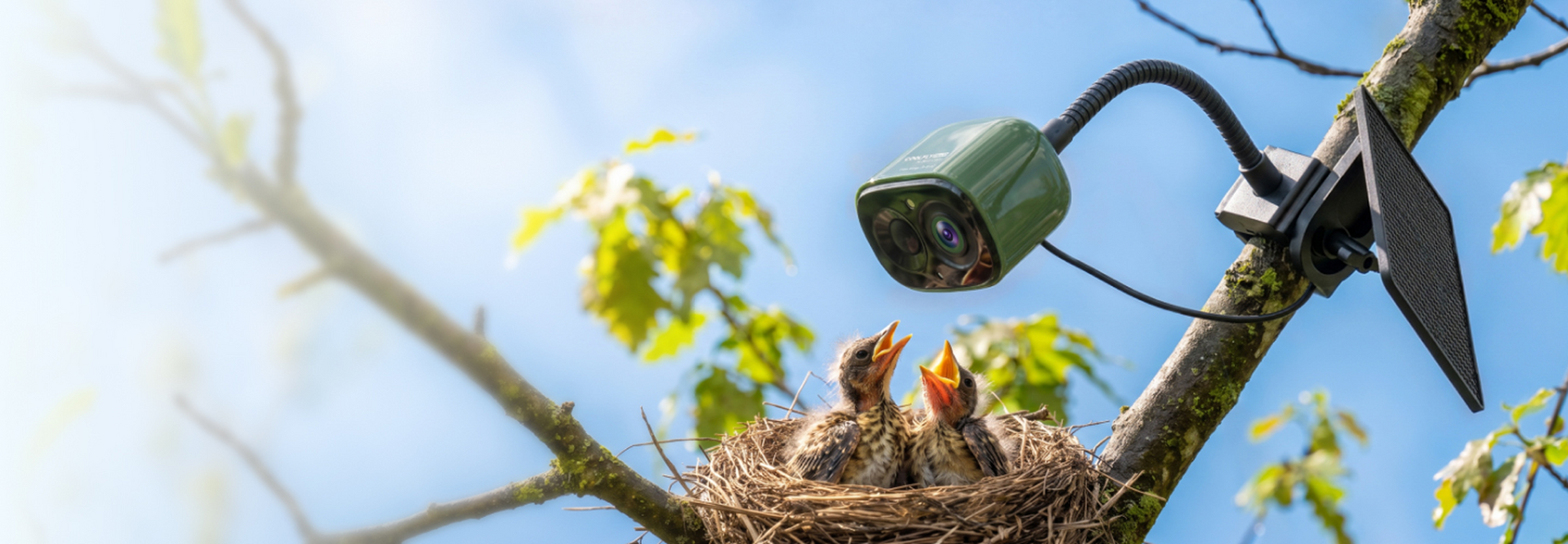
COOLFLY Flex with a gooseneck mount and solar panel. Product illustration, not camera footage.
You may already know where the birds like to land. The question is how you want to see them: a close look at a visitor beside the feeder, or a little more of the activity around it.
Choosing a COOLFLY Flex starts with two separate decisions. First, choose the camera for your viewing distance. Then, choose the package for your mounting and charging needs.
Flex10 is intended for closer views, with a recommended camera-to-bird distance of 3–10 inches. Flex20 is intended for a wider nearby view, at 8–20 inches. A Ready-to-Watch Kit adds a gooseneck mount and a solar panel to one camera; a camera-only option lets you plan the accessories separately.
Flex10 or Flex20? Start with the Bird’s Usual Spot
Before comparing models, look at the place you want to record. It might be a feeder perch, a hummingbird feeding port, or a favorite landing spot beside a bird bath.
Measure from the proposed camera lens position to that spot—not from your house to the feeder.
Flex10
Recommended camera-to-bird distance: 3–10 inches.
A closer look at birds in a small, predictable area.
Flex20
Recommended camera-to-bird distance: 8–20 inches.
A wider nearby scene with more room around the bird.
These are recommended viewing distances, not Wi-Fi ranges. The model names also do not mean 10× and 20× zoom. Flex20 is not automatically the better choice simply because its number is larger.
Choose Flex10 for a Closer View
Flex10 is a useful starting point when you can place the camera close to a spot birds regularly use.
For example, if your mounting position puts the lens about six inches from a feeder perch, that falls within Flex10’s recommended range. The same distance-first approach can help you plan a view beside an existing hummingbird feeder: choose the camera position around the feeding port you want to watch, without blocking the birds’ access.
Think about the view you would enjoy replaying. If it is a close look at one visitor rather than the whole feeding area, start with Flex10.
Choose Flex20 for More of the Nearby Scene
Flex20 is the option to consider when the camera will sit farther back within its recommended range, or when you want more of the surrounding activity in the frame.
A planned position roughly 16 inches from a bird’s usual landing spot falls within Flex20’s recommended range. That may suit a setup where a close mounting point is not available, or where the space around the bird is part of what you want to watch.
It is still a nearby birdwatching view—not a recommendation to film a feeder from across the yard.
What If Your Distance Is 8–10 Inches?
The recommended ranges overlap. At that distance, do not choose by the number alone: decide whether your priority is a tighter view or more surrounding space.
Check the model examples on the Flex10 and Flex20 selection page, and consider how much you can adjust the mounting position. Once installed, use the live view to check the actual composition before settling on the final angle.
Camera Only or Ready-to-Watch Kit?
The lens choice answers, “What do I want to see?” The package choice answers, “What do I need to put the camera there?”
Consider Camera Only When You Have a Setup Plan
A camera-only purchase can make sense if you already have compatible mounting and charging accessories, or want to choose those parts individually.
Before ordering, check:
- How you will secure the camera at the intended distance.
- Whether your existing accessories are compatible with the selected camera.
- How you will reach the camera for charging and routine care.
- Exactly what the selected package includes.
You can review the current build options on the COOLFLY Flex AI Bird Cam product page. Check the selected model and package carefully; not every model or configuration is necessarily offered through the same listing.
Consider a Ready-to-Watch Kit When You Need the Accessories Too
The Flex10 and Flex20 Ready-to-Watch Kits each bring together:
- One camera in the selected model.
- One gooseneck mount.
- One 2W solar panel.
This is a practical option if you are building a new viewing spot and want those accessories together. The gooseneck mount gives you a way to position the camera; the solar panel supports charging where suitable sunlight is available.
Solar charging depends on conditions. It is not a promise that the camera will never need charging or attention.
“Ready-to-Watch” also does not mean “no setup required.” You still need to choose a secure position, follow the connection instructions, and check the live view. The kit adds a camera setup to your birdwatching spot; it does not include a bird feeder.
Visit the official Ready-to-Watch Kit page to compare the models and current buying options. Its purchase links may take you to Amazon.


Three Examples to Help You Decide
You love your existing feeder and want close-up visits. Measure the distance first. If the lens can sit within 3–10 inches of the bird’s usual spot, consider Flex10. Choose the kit if you also need its mount and solar panel.
You want to include more of a nearby feeding or landing area. If your planned position is within 8–20 inches, consider Flex20. Then check whether the kit accessories suit the physical mounting location.
You already own compatible accessories. A camera-only option may avoid buying parts you do not need. Confirm the exact model, compatibility, and included items before ordering—especially if you are adding to an older setup.
For a step-by-step look at placement, see our guide to adding a camera to an existing feeder, bird bath, or birdhouse.
Quick Questions Before You Buy
Is Flex20 an upgrade over Flex10?
Think of them as different viewing choices. Flex10 suits closer placement; Flex20 suits a wider nearby view at its recommended distance. The right choice depends on your intended frame and mounting position.
Does a Ready-to-Watch Kit include both cameras?
No. Each kit includes one camera in your selected model, one gooseneck mount, and one 2W solar panel. A picture showing both models is a comparison, not the contents of one kit.
Is every Flex “kit” the same package?
No. Read the exact package name and contents. A Ready-to-Watch Kit, another mount-based build option, and a two-camera pack are different choices; do not assume they include the same accessories.
Can I keep the feeder I already use?
That is the idea behind an add-on camera setup: choose a view beside the feeder rather than automatically replacing it. Check the mounting fit, access for birds, and recommended viewing distance for your particular setup.
Choose the View First. Choose the Package Second.
Start with where the birds will be. Choose Flex10 for closer placement or Flex20 for a wider nearby view. Then decide whether you need the camera alone or the camera, gooseneck mount, and solar panel together.