UNASSIGNED TEMPLATE PREVIEW
Purchase is disabled until a product is assigned to this template.
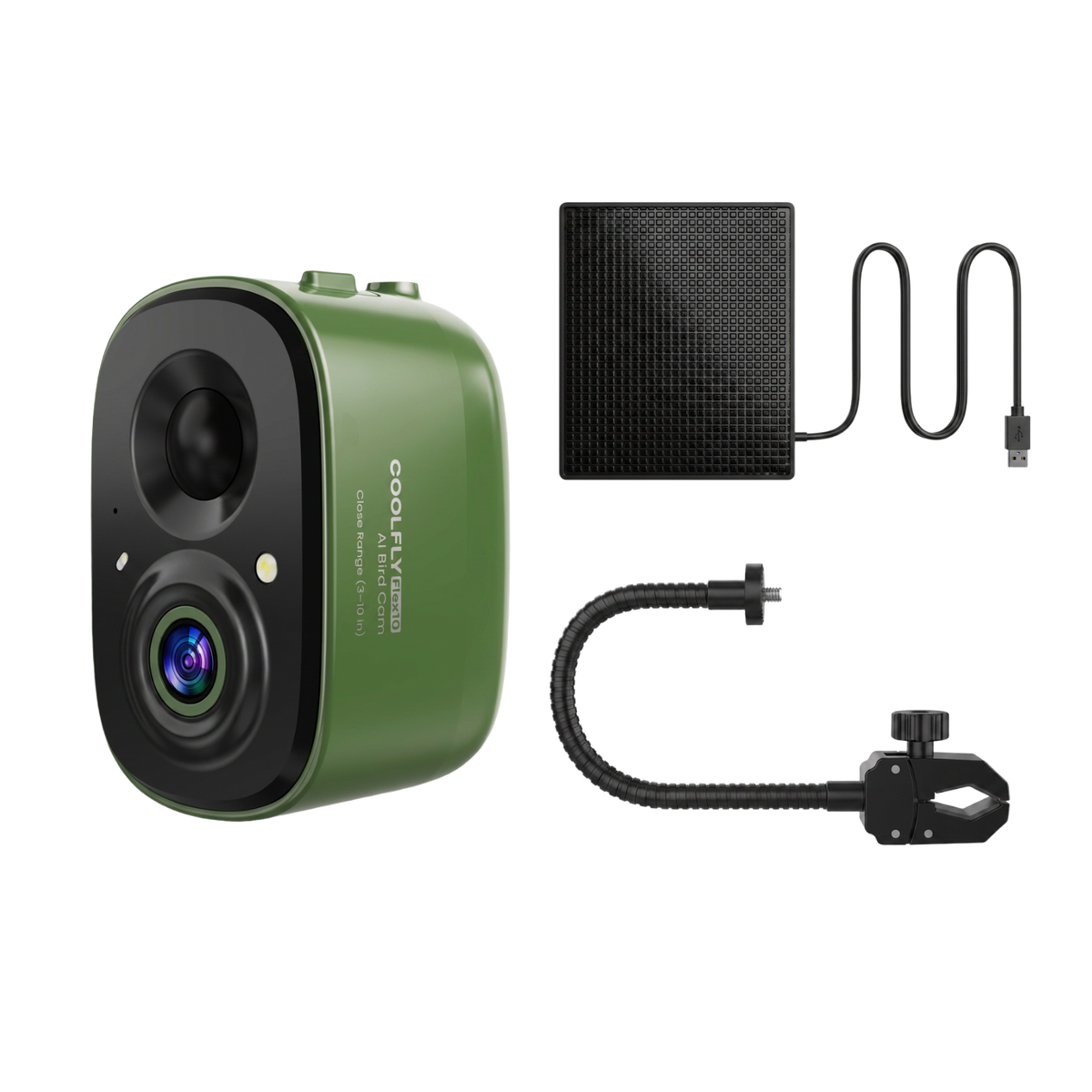
Camera Only · mount and solar panel sold separately
YOUR BACKYARD. A NEW POINT OF VIEW.
COOLFLY Flex10 Ready-to-Watch AI Bird Camera Kit
A closer look at every little visitor.
$89.99USD
- 3–10 inches recommended viewing distance
- 2.5K QHD & Color Night Vision
- Lifetime Free AI Bird ID
Requires 2.4 GHz Wi-Fi and the COOLFLY App.
US $50+ Free Shipping1-Year Warranty
Need a view from farther away? Flex20 is designed for 8–20 inches.
Meet Flex10
Small details. A whole new view.
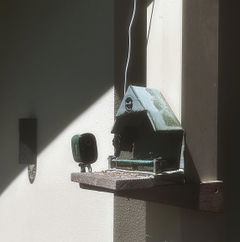
Position Flex10 3–10 inches from where birds land. Bring your familiar feeder, bird bath, or small perch into close-up view.

*Measure from the camera lens to the bird’s position.
Meet Your Backyard Visitors.
Discover who’s visiting with Lifetime Free AI Bird ID.

A closer look, day and night.
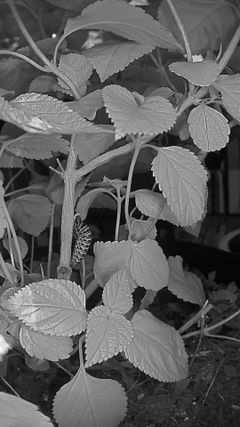
Flex10 offers 2.5K QHD video, full-color night vision, and infrared night viewing. Official product illustrations of supported viewing modes.

Full-color night view
Infrared night view
Choose the setup that fits.
Choose the kit for the camera, mount, and solar panel together. Choose Camera Only if you already have the compatible accessories you need.
Three essentials, together.
- Flex10 camera
- Gooseneck Mount
- 2W Solar Panel
A feeder or bird bath is not included. Solar charging depends on suitable sunlight.
Start with Flex10.
- Flex10 camera
Gooseneck Mount and 2W Solar Panel are sold separately. No kit accessories are included.
Current selectionReady-to-Watch Kit / Green$89.99 USD
How to set up your Ready-to-Watch Kit
Charge and pair the camera before outdoor placement. Check for a 2.4 GHz Wi-Fi signal at your chosen spot.

Secure the solar panel.
Attach the Gooseneck Mount.
Mount the Flex10 camera.
Connect the power cable.
Adjust the angle to suit your birdwatching spot.
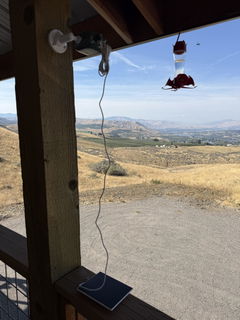
Position Flex10 near a feeder, bird bath, or perch, then adjust the view. Check that your mounting surface works with the mount you choose.

Tips for better birdwatching

Keep direct sunlight out of the lens.
Position the camera so the lens is not facing directly into the sun.
Keep the lens clean.
Gently wipe the lens with a soft, clean cloth.
Find the right distance.
Place Flex10 3–10 inches (about 8–25 cm) from where birds land, then check the view in the App.
Watch live. Share your birding moments.
Open Live View in the COOLFLY App to watch your birdwatching spot. Create and share the moments you love with family, friends, and the COOLFLY community.


Create
Share
Connect
Which distance fits your spot?
Measure from the camera lens to where a bird is most likely to land. Viewing distance is not motion-detection range.
| Compare | Flex10 | Flex20 |
|---|---|---|
| Viewing distance | 3–10 inches (approx. 8–25 cm) | 8–20 inches (approx. 20–51 cm) |
| Best for | Feeders, bird baths and close-up views | Placement farther from the landing spot |
| Core features | 2.5K QHD · Lifetime Free AI Bird ID | 2.5K QHD · Lifetime Free AI Bird ID |
| Available setups | Camera Only · Ready-to-Watch Kit | Camera Only · Ready-to-Watch Kit |
| Camera colors | Green · Black | Deep Blue · Aqua |
| Choose your Flex | Explore Flex20 |

Questions before you choose?
How do I choose between Flex10 and Flex20?
Choose by the distance from the camera lens to where birds will land: Flex10 is designed for a recommended viewing distance of 3–10 inches, while Flex20 is designed for 8–20 inches. Both offer Camera Only and Ready-to-Watch Kit options. These are viewing distances, not motion-detection ranges.
What is the difference between Camera Only and the kit?
Camera Only includes the Flex10 camera, without the Gooseneck Mount or 2W Solar Panel. The Ready-to-Watch Kit includes all three. A feeder or bird bath is not included.
Will it work with my existing feeder?
Flex10 is a separate camera, so you can position it near an existing feeder, bird bath, or perch. Check that your mounting surface fits the chosen mount and that birds will be 3–10 inches from the camera lens.
Does bird identification require a subscription?
No. Core AI Bird ID is included for life without a required paid subscription. This does not mean every App feature or cloud storage option is free or unlimited. Optional services and storage may have separate terms.
What do I need for setup?
You need the COOLFLY App, a compatible mounting position, and a 2.4 GHz Wi-Fi signal at the installation spot. Charge and pair the camera before positioning it outdoors. The solar panel supports charging in suitable sunlight.